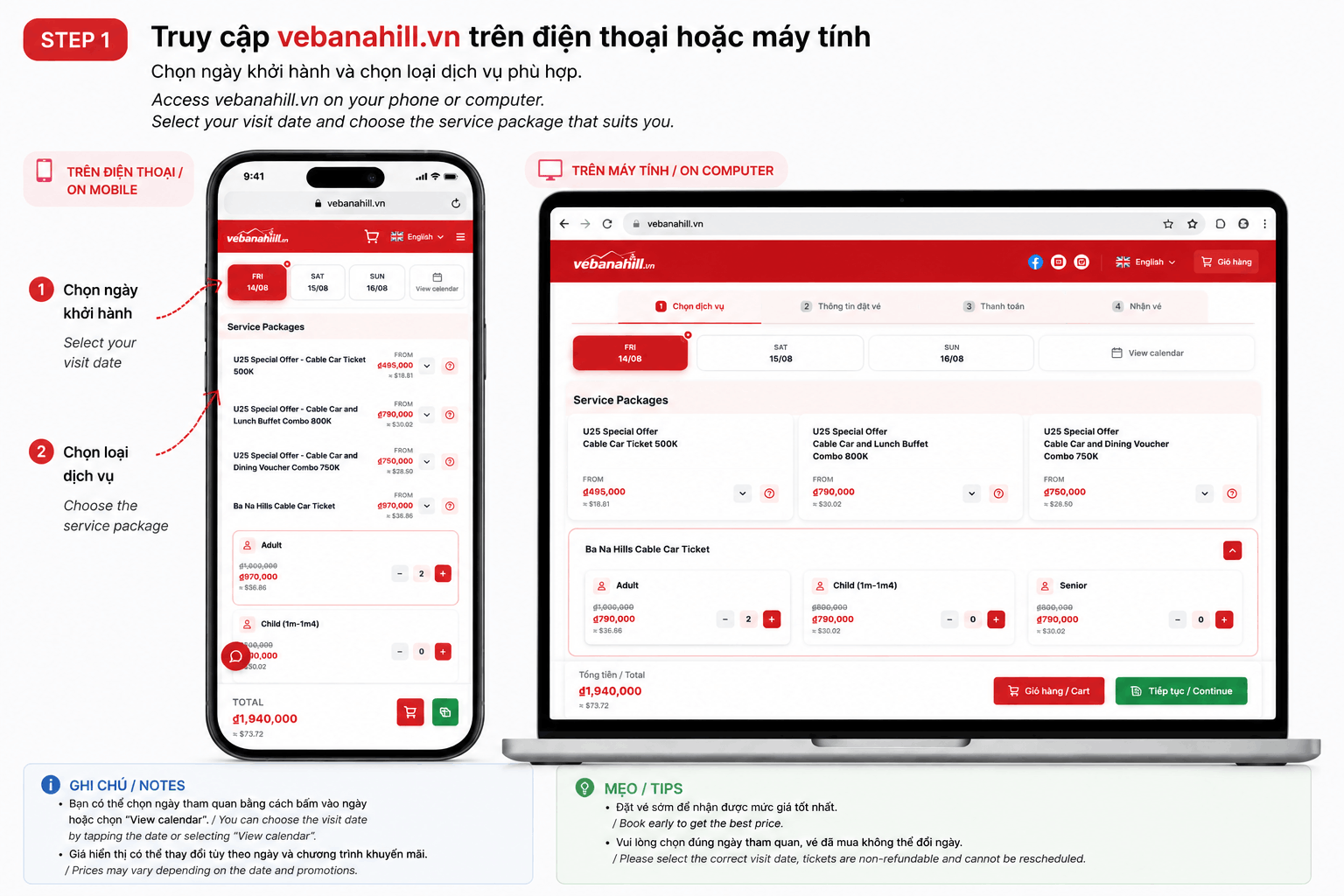
Step 1
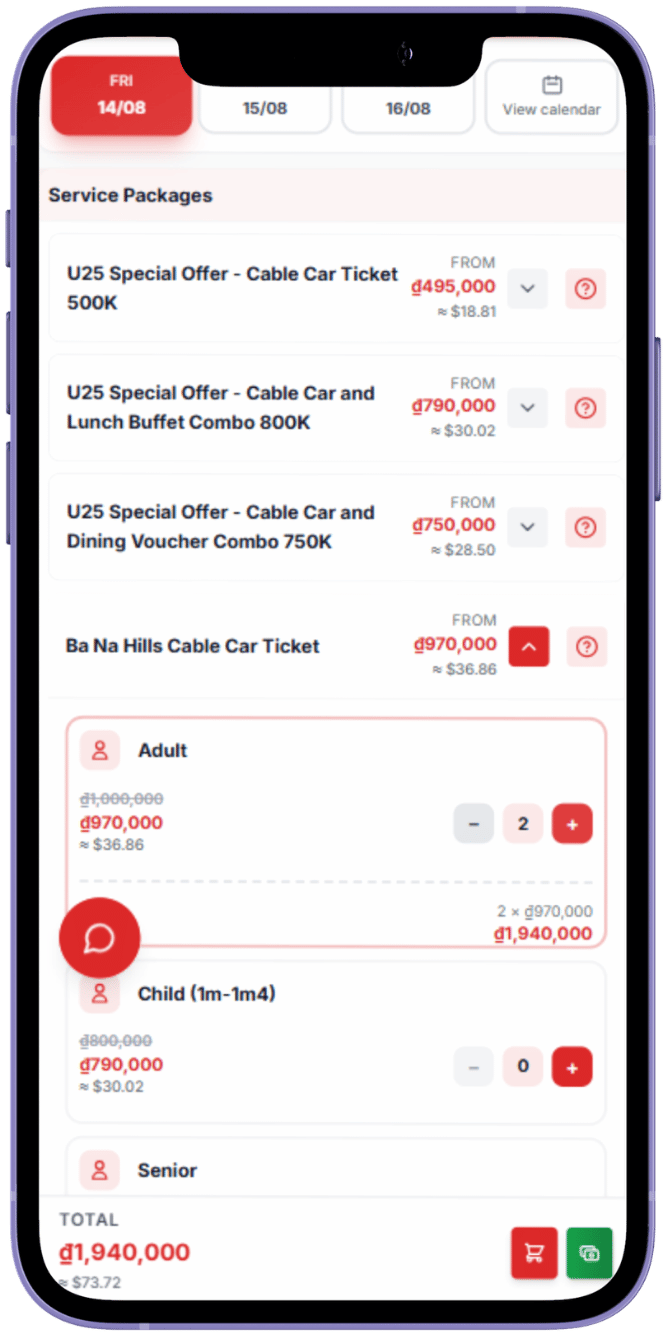
Choose your visit date and ticket type
Choose your Ba Na Hills visit date, ticket type, service package, and number of guests.
Tip
Prices and availability vary by date. Book early for the best available offer.

Online ticket guide
Buy Ba Na Hills tickets online in four quick steps. Choose your visit date and ticket, enter your details, pay securely, and receive your QR e-ticket by email.
4 easy steps · About 5 minutes · QR ticket by email
Choose your Ba Na Hills visit date, ticket type, service package, and number of guests.
Tip
Prices and availability vary by date. Book early for the best available offer.
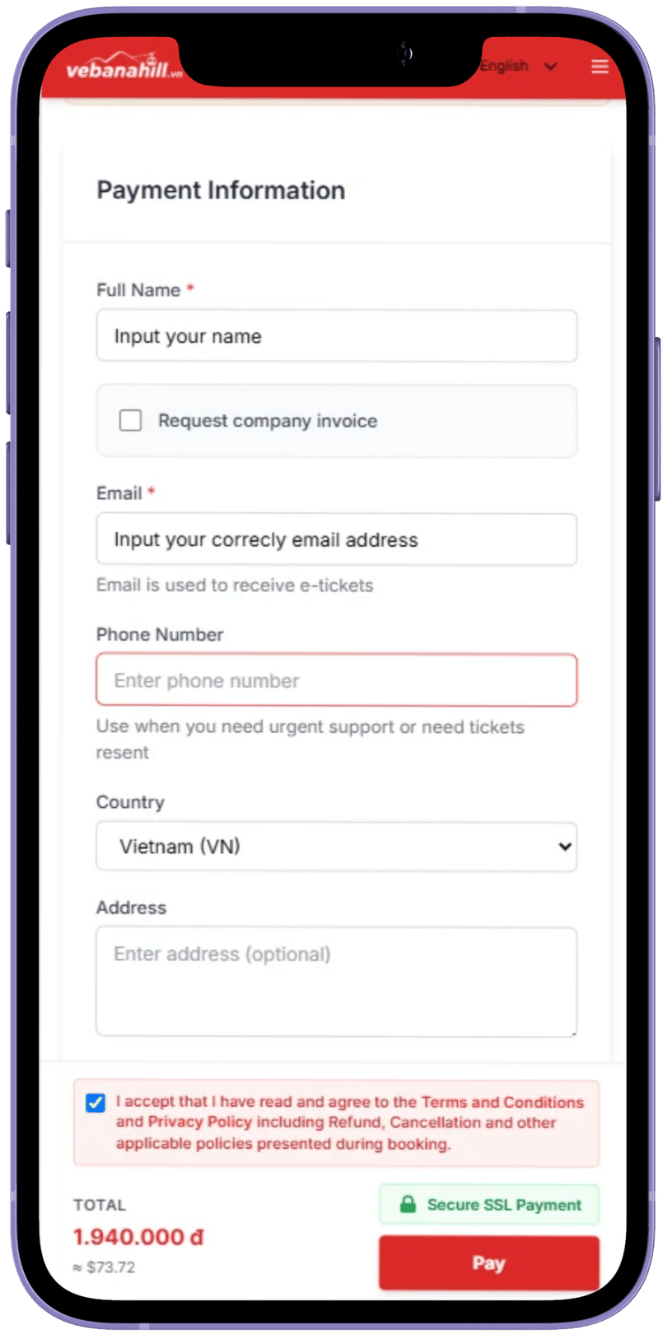
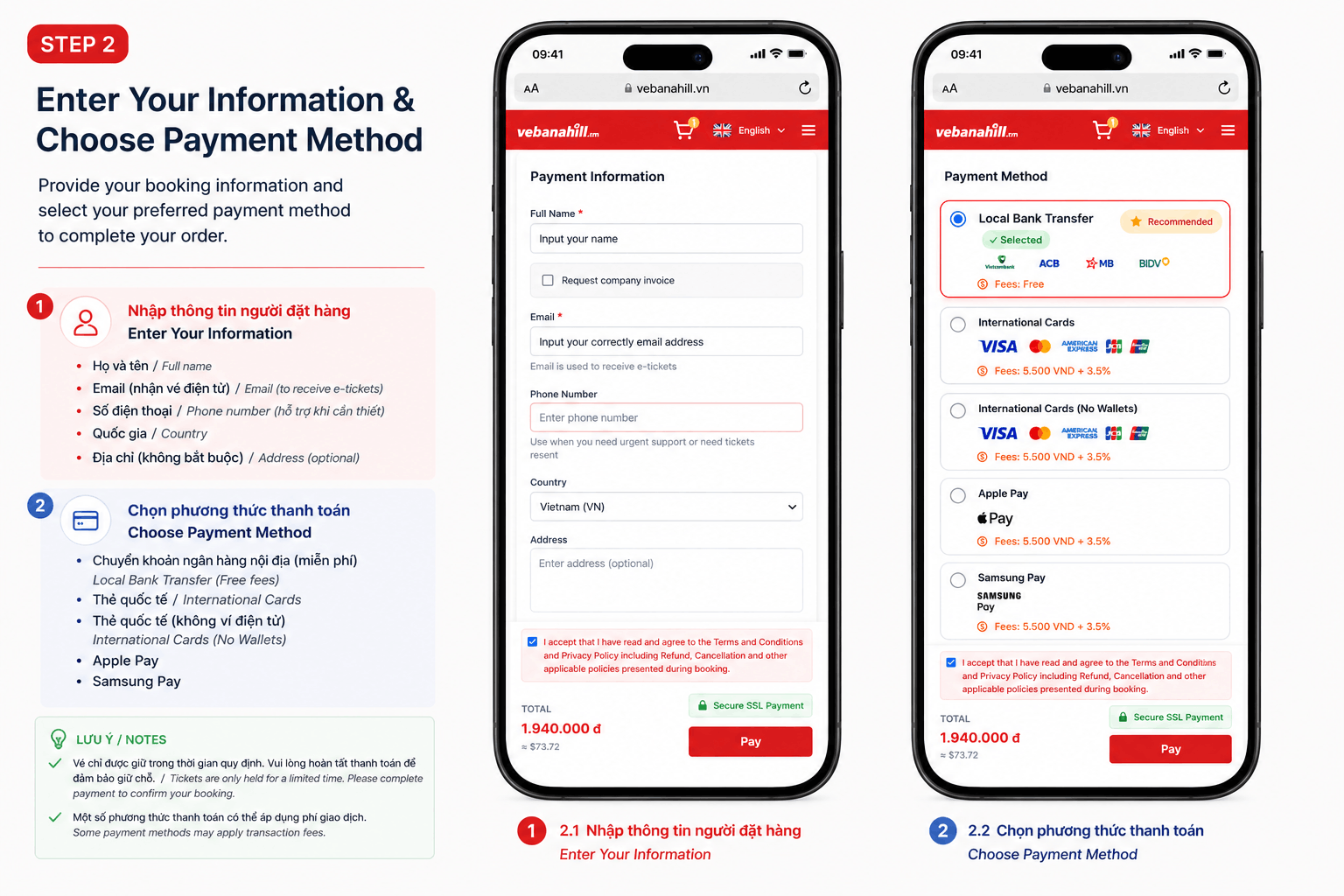
Enter the booker’s full name, ticket delivery email, phone number, and country accurately.
Tip
Double-check the email. E-tickets and order notifications will be sent there.
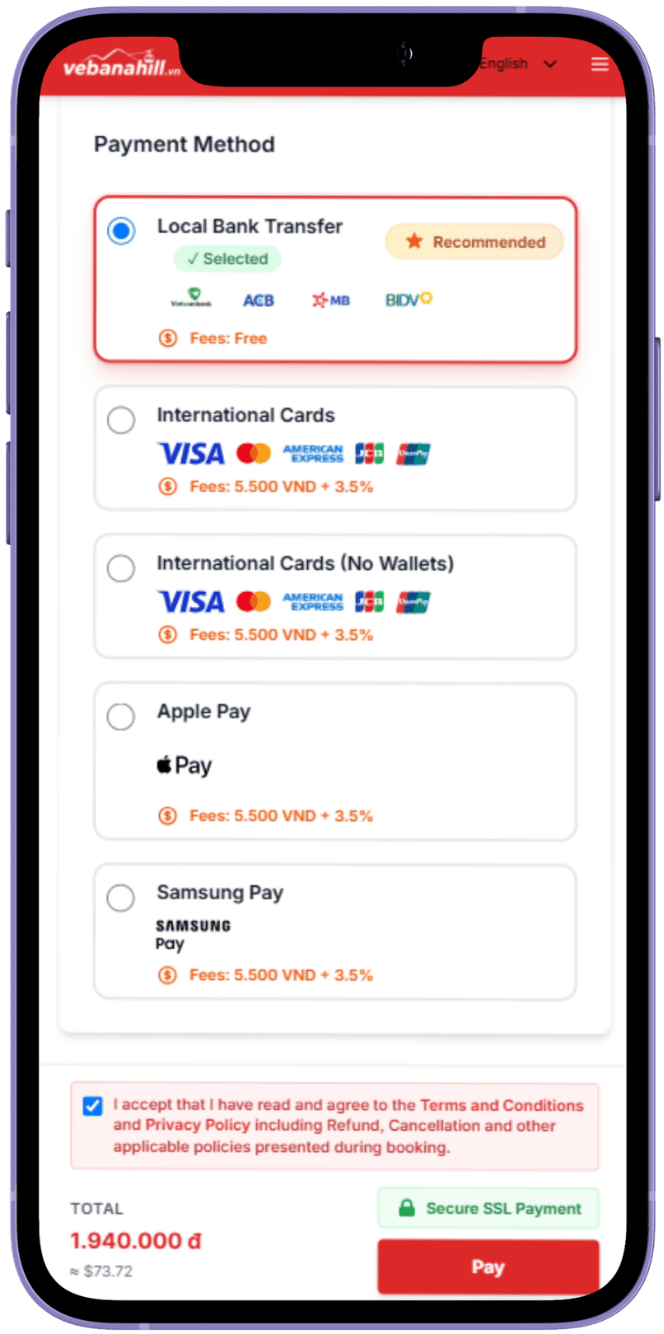
Vietnamese customers can pay by bank QR transfer. International customers can pay by international card.
Tip
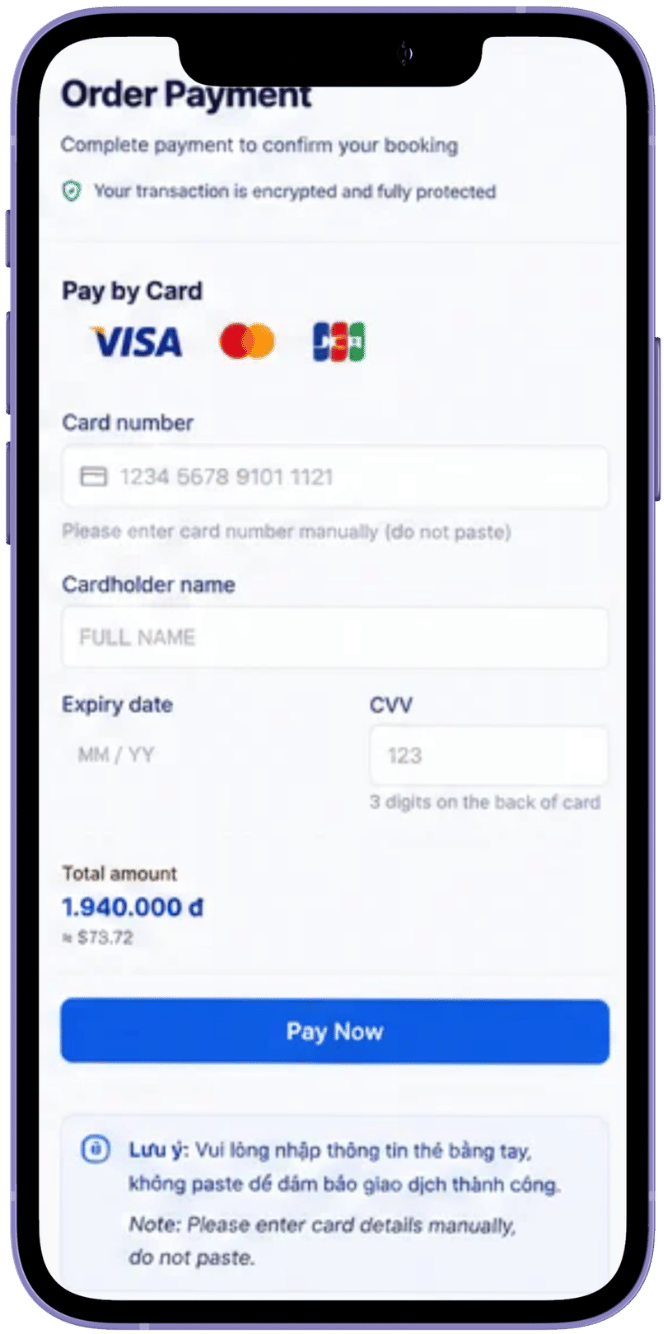
For card payments, enter each card-number digit manually. Do not copy and paste.
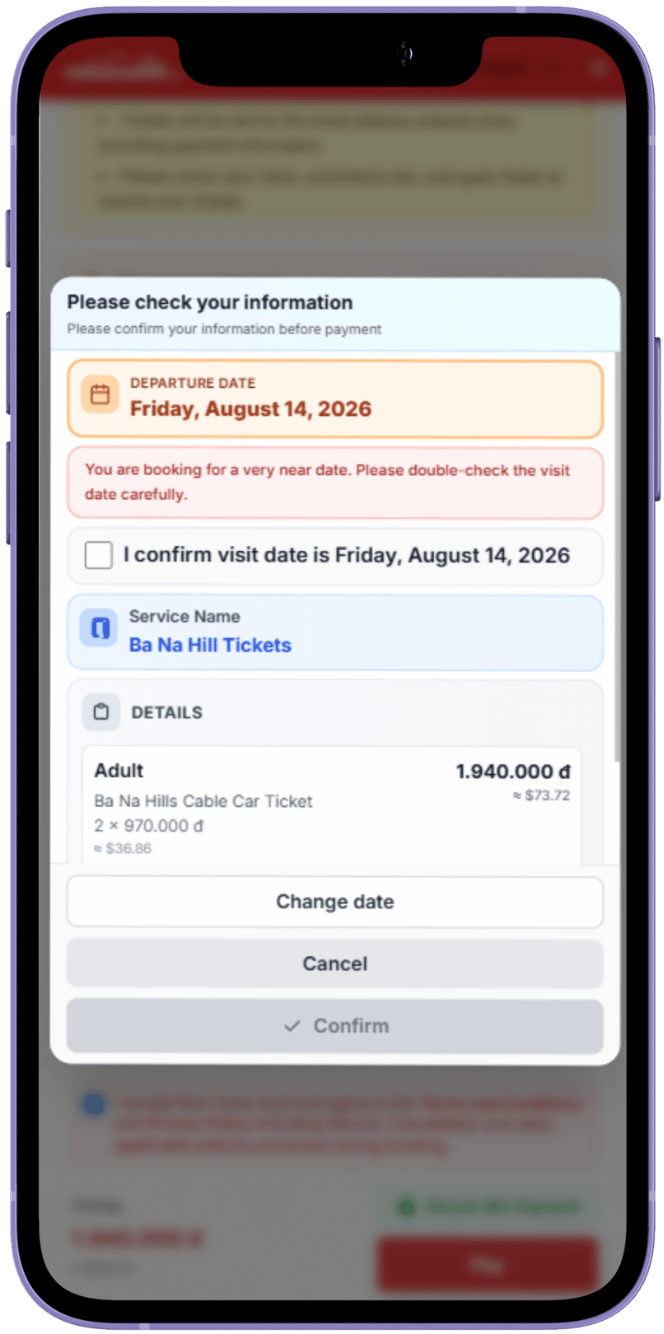
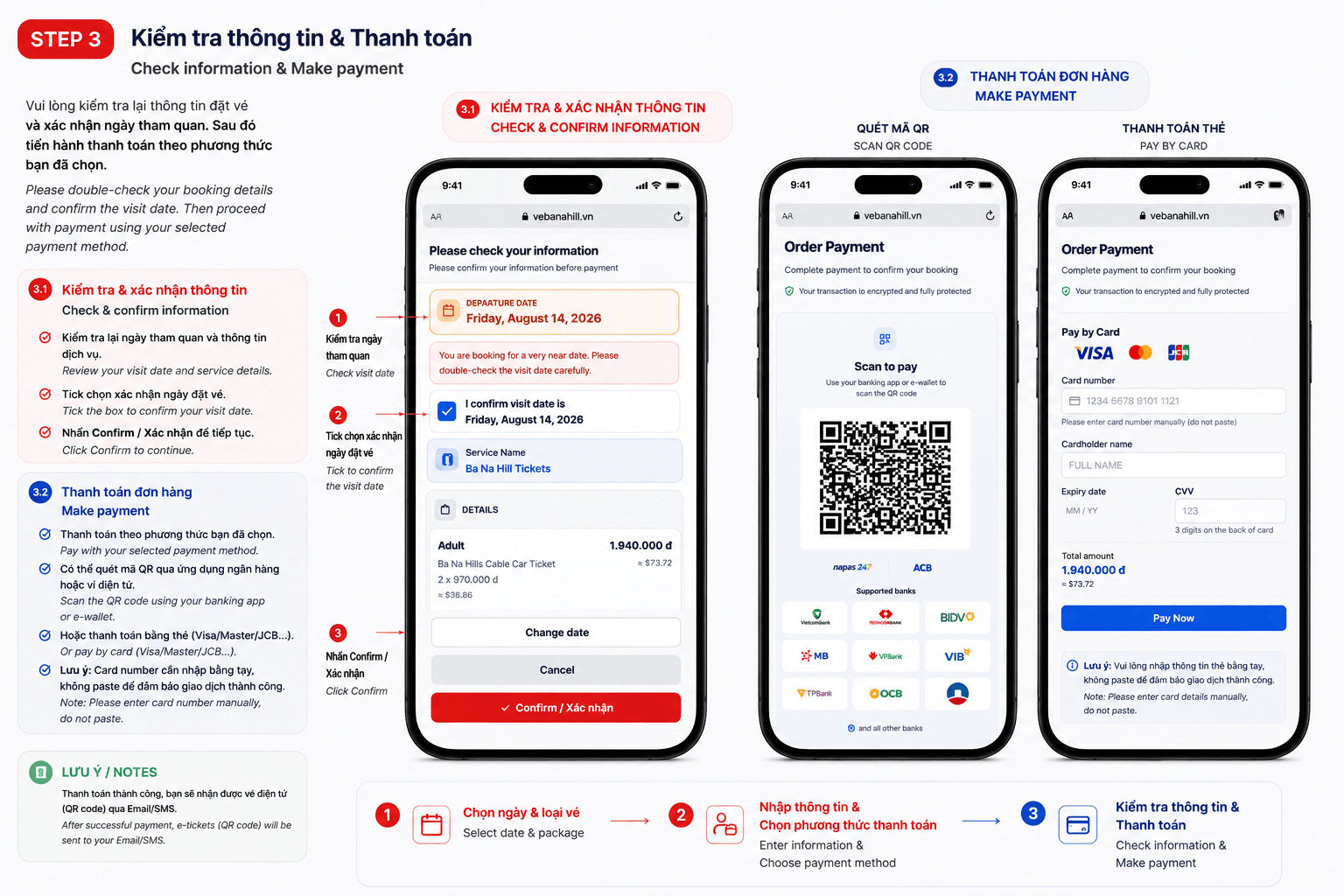
Review the visit date, ticket type, guest count, contact details, and total payment.
Tip
Go back and correct any details before confirming the order.
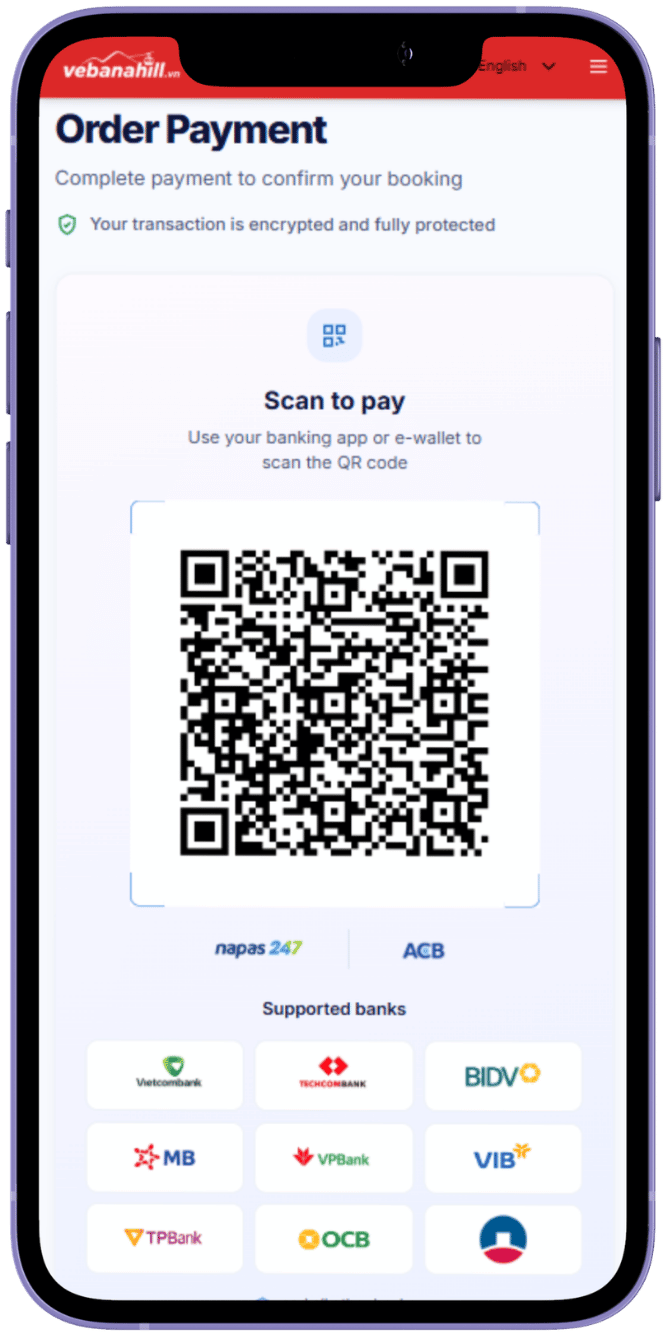
Open your banking app, scan the QR code, and pay the exact amount shown.
Tip
Do not change the transfer details. Keep the page open during confirmation.
Enter card details in the secure form and complete your bank verification.
Tip
Never share your OTP. Enter it only on your bank’s official verification screen.
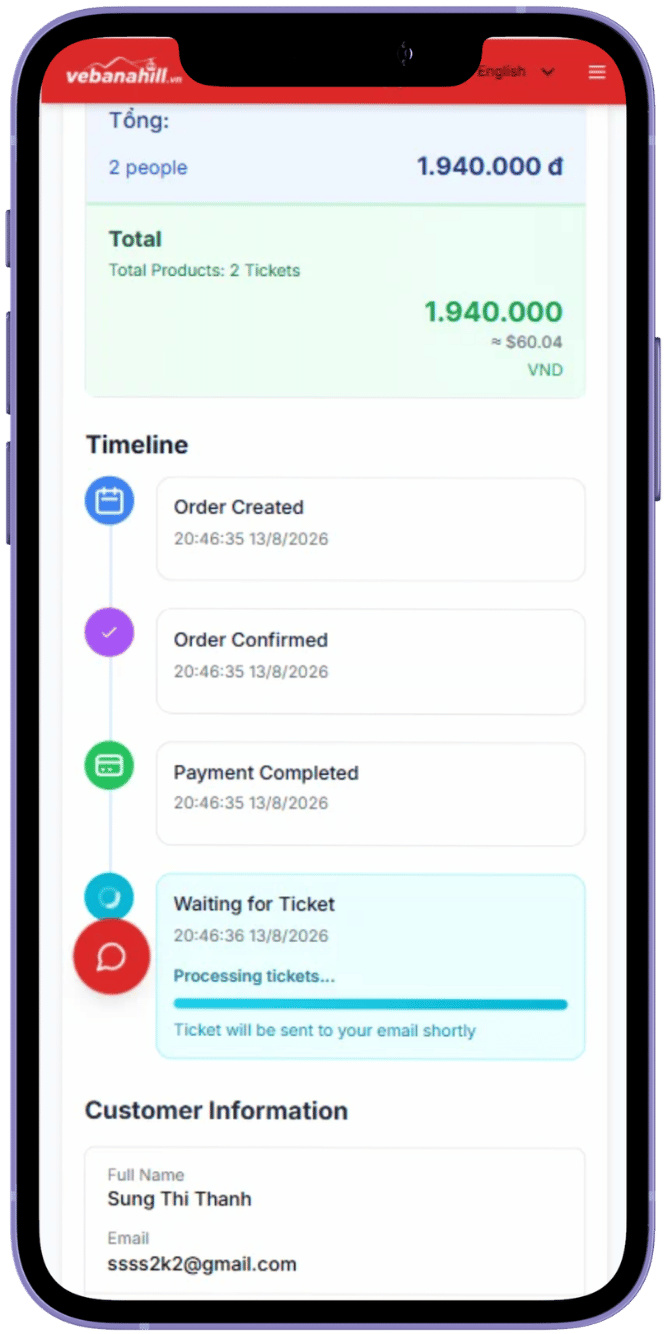
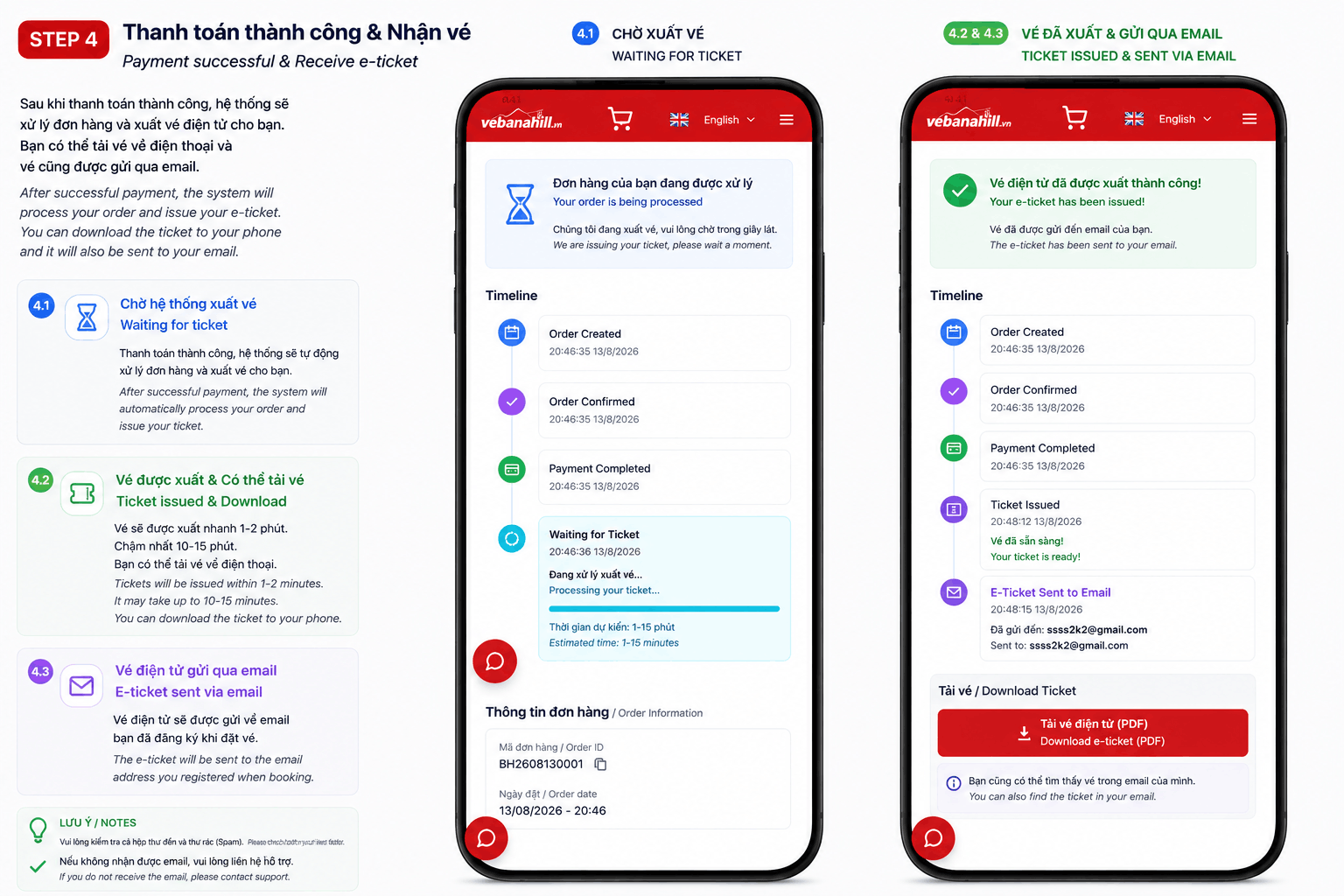
Payment was received and your Ba Na Hills e-tickets are being issued.
Tip
Do not pay again. Track the order status on screen.
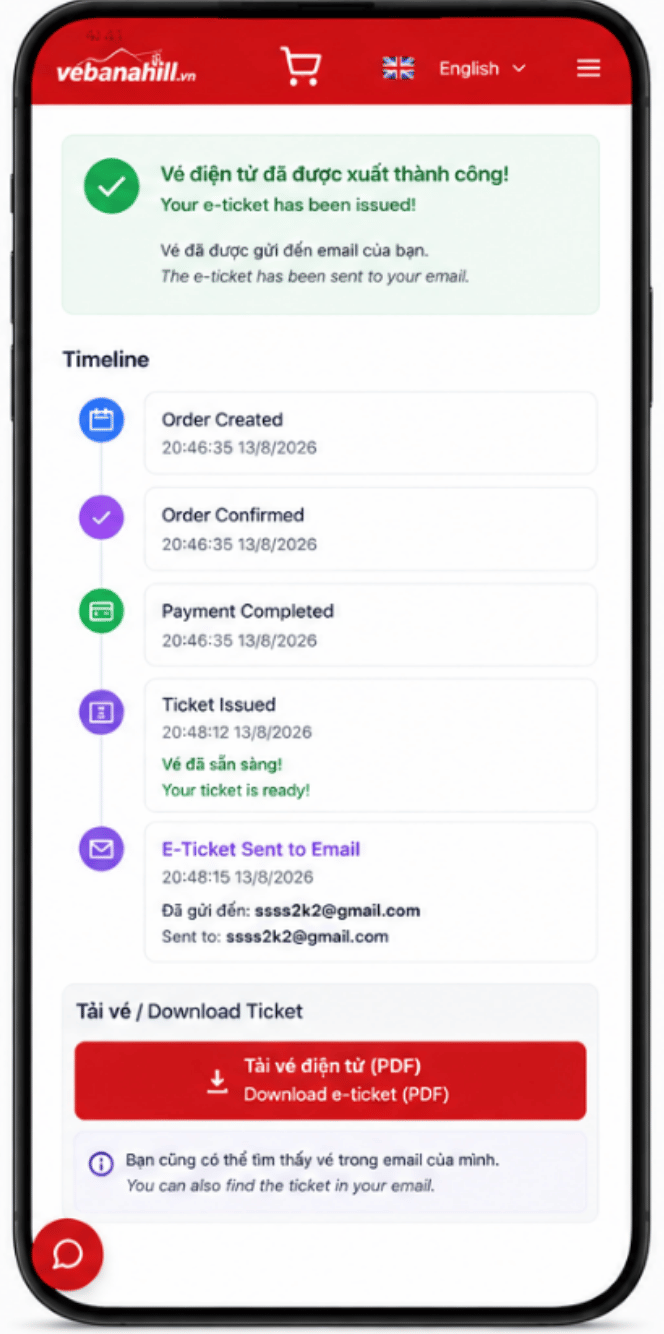
Tickets are sent by email. Save them to your phone and show the QR codes at entry.
Tip
Check inbox and spam. Ensure every guest has a clear QR ticket.
Book online, pay securely, and receive your QR ticket by email.